How to Make In This Town Roblox Videos
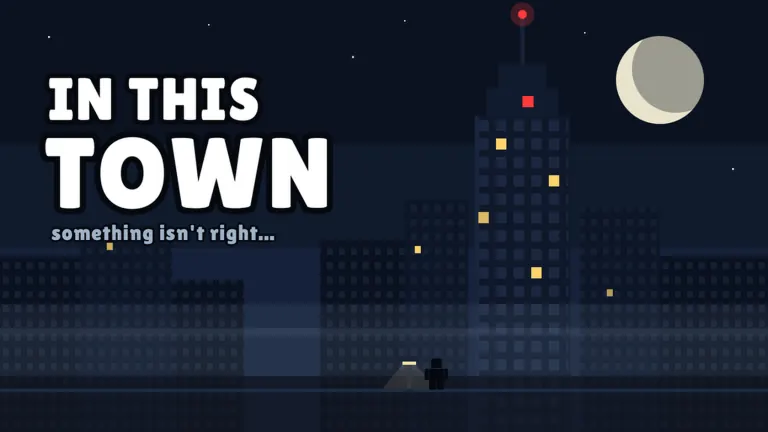
People making “In This Town” videos are following a short-form shape, not shipping a patch for one Roblox experience. The free path below comes first. Paid tools are labelled as paid. This page is not affiliated with oVideo or any course, and those links are ordinary citations.
Script
Aprasi and oVideo independently describe the same formula. One strange rule. One kid who is bad at surviving it. One twist that was hiding in the words. Aprasi and the oVideo product page describe episodes of about two or three minutes (2 sources). A useful test: if you remove the rule, the joke disappears. If the twist needs a new character who was never set up, it is a different genre.
- Write one rule. Pick an everyday action and give it a price. Laughing costs 1% is a shape, not a script you should copy from a channel.
- Add one kid and one twist. The kid is bad at the rule. The way out is hidden in the wording of the rule, not in a new power.
- Record a voice. Tutorials use either a person talking or a text-to-speech voice. They do not agree on one vendor, so this page does not crown one.
- Build or generate the town. Some creators record Roblox Studio. Others generate a blocky town in code. Both show up in public tutorials from November 2026.
- Cut a vertical short. The shared shape is 9:16, word-by-word captions, music, and a hook in the first seconds. Two to three minutes is the episode length the explainers describe.
A script you can adapt
Original example: “In this town, every yawn skips an hour. Mina keeps yawning through school until she realises she is skipping the only safe hour of the night. She sets an alarm, takes one last yawn just before the curfew, and lands in daylight.” Establish the time rule first; show one harmless skip; raise the stakes; then resolve the problem with that same rule.
A reusable writing prompt
Write an original four-scene vertical story for a blocky town. Use one everyday action as the rule, one main character, and one consequence. Scene 1 states the rule. Scene 2 demonstrates it. Scene 3 makes the consequence urgent. Scene 4 resolves it with a loophole already present in the rule. Return narration, on-screen caption, and camera direction for each scene. Avoid existing scripts, characters, and song lyrics.
Voice
Searches for a voice and for text-to-speech are part of this topic, but the November 2026 tutorials name different tools or just say “add narration”. Record a take, or generate one, then put word-by-word captions on the vertical cut. I will not pick a winner from a set of sponsors.
Animation
For a Studio route, create a simple street and a rig for your character, open the Animation Editor, keyframe the poses, and save each animation. Record one shot per scene, then assemble the clips with your narration in a video editor. The Roblox Animation Editor documentation explains rig selection, keyframes, playback, and saving. A code-rendered route is another option described by the Midnight Income tutorial linked below; that is the creator’s method (1 source), not a required toolchain.
Shorts
Cut 9:16. Put the rule on screen in the first seconds. Keep captions large enough to read on a phone. Compilations exist, but the thing people search “how to make” for is the short episode, not the 80-minute bundle.
Where AI fits
Creators describe AI-assisted scripts, voices, and even scene code. Roblox has not published a statement on how many of these videos are generated. Some are recorded in Studio. “AI-made” is a workflow people claim, not a label the platform applied. Reddit still asks whether the videos are fully generated. I leave that question open.
Tools, with prices dated
| Roblox Studio | Build a street, animate a rig, and record the shots | No paid generator is required; optional editing or voice tools have their own terms | Roblox docs · independent editorial workflow |
| Code-rendered town | Blocky scenes from a script | No fixed cost quoted here; the creator’s chosen tools determine it | Midnight Income · 1 source · no affiliation |
| oVideo | Story-to-video product. It says it does not use Roblox avatars | Creator: $40/month or $30/month billed yearly; vendor estimates about 750 credits for a 60-second story | Vendor terms · 1 source (2 pages) · no affiliation |
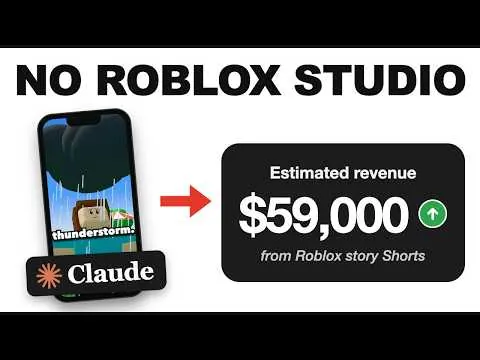
Videos
Advertisement
FAQ
How do they make the popular Roblox story videos, In This Town?
Public tutorials from November 2026 show the same shape: one rule, one unlucky kid, one twist, vertical captions, a voice, and a blocky town. Some record Studio. Some render a town from code. A paid generator also sells the shape.
Do I need an AI voice?
The voice searches are large, but the tutorials do not settle on one product. You can record yourself. If you use a generated voice, name it in your own credits. I am not listing a required vendor.
What is the MCP video generation search?
That query showed up in keyword research at a small volume. The pages I could actually read teach Studio, code, or a story-to-video product. I am not going to pretend a specific MCP setup is the standard.
Related
Sources
Last checked 2026-11-17.
- oVideo story-to-video page — checked 2026-11-17
- oVideo pricing (same vendor; not an independent second source) — checked 2026-11-17
- Roblox Animation Editor documentation — checked 2026-11-17
- Midnight Income tutorial — checked 2026-11-17
- Aprasi on the format — checked 2026-11-17